When Fetch reports “Unexpected end of JSON input,” check whether your endpoint was supposed to send a body. A successful HEAD request and HTTP 204 or 205 responses deliberately have no content. A successful request that promises JSON and returns an empty string is different. If the request contains part of a JSON document, check whether the server sent incomplete text or the body stopped arriving before Fetch could read it.
Start with one request in DevTools. Open its Headers and Response tabs. Compare the method, status, and body with the endpoint contract. Leave a valid no-content response alone. Repair a missing payload or a failed transfer at the point where it went wrong. Turning every parser failure into an empty array makes those cases indistinguishable.
Decide which result the endpoint promises
An empty response body contains no JSON document. The body null, by contrast, is a complete JSON document that parses to the JavaScript value null. The bodies [] and {} are also complete documents. They may describe empty data when the endpoint defines them that way. These cases reach the UI differently. An empty list can mean the request worked and there are no records. A missing document can mean the request never supplied the information needed to decide.
Look up the method and status in the API contract. For HEAD, headers describe the response without sending the content. A 204 indicates successful handling with no response content. A 205 asks the client to reset the relevant view and also carries no content. A client can represent these outcomes explicitly instead of calling its parser. The HTTP semantics specification defines HEAD and both statuses.
| What the request shows | What to check next |
|---|---|
| Successful HEAD, 204 or 205 | Follow the documented no-content branch. Skip JSON parsing. |
| 200 with no body, but API promises JSON | Check which server branch handled the request and why it ended without a payload. |
| 200 with only spaces or an incomplete document | Check serialization and the complete response text. There is no valid JSON value yet. |
| Body read rejects before parsing | Check cancellation, content decoding, or transport completion. Inspect the request timeline. |
| A second read fails after logging text | Read once. Parse the saved string if it is still needed. |
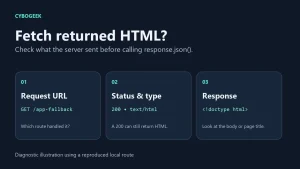
| Body begins with an HTML tag | Check the final route, redirects, and response type before troubleshooting bytes missing from JSON. |
Distinguish an incomplete document from an interrupted read
Imagine a handler sends the literal string {"items":[ and ends the response normally. From the network’s point of view, that response can be complete. From the parser’s point of view, the JSON is unfinished. Reading the body as text can succeed, and parsing it can still raise a SyntaxError. The parser only knows what text it received. It does not know why the application produced it.
Now imagine the server promises more bytes than it sends and closes the connection partway through. Fetch may have received the headers, so a response object exists. Reading its body can still reject before any complete string reaches a JSON parser. In a local Node example that read rejected with TypeError. Intentional cancellation can produce a different error, and browser wording can vary. Check what stage failed before relying on a message.
The distinction matters if the problem appears only at deploy time. For incomplete text with a successful read, inspect the application path that writes the response. For failure during the read, compare server completion logs with the browser request timeline and relevant hosting logs. If fault isolation requires a small repeatable case, use a response you own and a test account. A network panel showing a short preview is a clue, not enough on its own to prove which component stopped sending data.
Read once and keep the response types separate
This helper fits a JSON endpoint that requires a valid JSON document for success except for HEAD, 204, and 205. Pass the real request method if it was HEAD. The caller receives a distinct result for no content and can choose how that affects the UI. For APIs that return structured error replies, add an error path that follows that contract instead of forwarding untrusted error text straight to the user.
async function readJsonReply(response, { method = "GET" } = {}) {
  if (!response.ok) throw new Error("HTTP " + response.status);
  if (method.toUpperCase() === "HEAD" || [204, 205].includes(response.status)) {
    return { kind: "no-content" };
  }

  const text = await response.text();
  if (text.length === 0) throw new Error("Expected JSON; received an empty body");
  return { kind: "data", value: JSON.parse(text) };
}
The helper leaves the read and parse as separate operations. A rejected text read can still surface as a transport or cancellation problem. A whitespace-only document reaches the parser and fails there. Only a raw empty string triggers the explicit missing-body error. That is intentional. If your endpoint allows a blank 200, handle it as a narrow documented exception for that endpoint rather than silently deciding that all malformed documents mean no results.
This example buffers one response because it expects a bounded JSON document. Use an appropriate streaming parser and protocol when the endpoint returns a live feed or newline-delimited records. With a large or unbounded response, reading all of it as text just to count characters can use too much memory and delay every update. This helper also leaves shape validation to the caller. A valid JSON string or null can parse successfully even when the UI expects an object containing an array.
When the existing code reads response.text() for a quick diagnostic and then calls response.json() on the same response, fix the two reads before chasing server changes. A normal nonempty response stream is consumed by the first read. Use the string you already have, or inspect the body in DevTools. A clone created before reading can be appropriate for limited local diagnostics, but avoid duplicating a large body unnecessarily. The Fetch standard defines body consumption.
What happened in a local HTTP demo
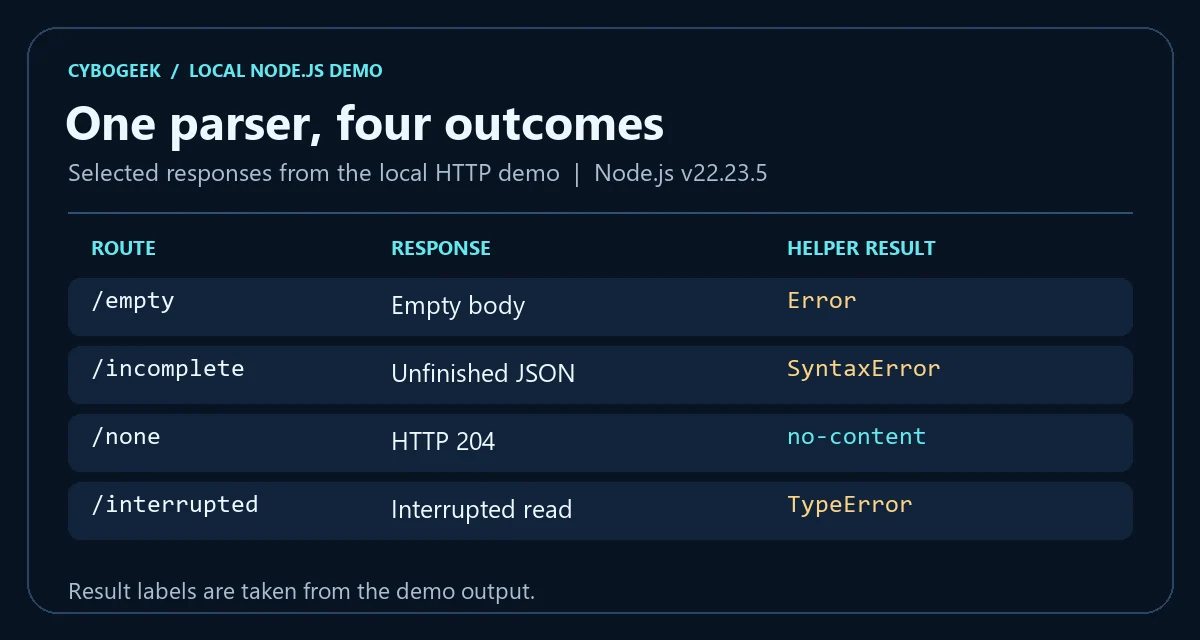
The local test for this guide used a loopback HTTP server in Node.js v22.23.5. It returned deliberate cases with different status, content, and transport behavior so the parser could be tested without a real API. The test also covered a HEAD request and a second read after consuming a nonempty body. The words printed by your browser may differ from the strings shown here.
| Local response | Observed result |
|---|---|
| 200 with zero characters | The helper reported a missing body. |
| 200 with whitespace only | Reading succeeded. Parsing raised SyntaxError. |
| 200 with an unfinished JSON array | Reading succeeded. Parsing raised SyntaxError. |
| 204, 205 and successful HEAD | The helper returned its no-content result. |
| 200 with literal null | The helper returned a data result with a null value. |
| 200 with an empty items array in a valid object | The helper returned a data result containing that object. |
| 200 headers followed by an intentionally interrupted body | The body read rejected with a TypeError in Node. |
| Second read after consuming a normal response | The second read rejected with a TypeError in Node. |
The transport interruption case helps explain why two reports with a blank UI can lead to different fixes. The normally ended, incomplete document belongs with serializer or response-construction problems. The forcibly closed body belongs with read failures. This test exercised the distinction on a local HTTP server. A browser reproduction is still useful if a specific hosting route or boundary fails.
Find why the JSON went missing in the first place
On the server, start with the code that handles that method and path. Look for an early return or middleware branch that ends the response without the documented JSON. Check whether an exception happened after headers were sent. If a branch completes successfully with no data by design, document its status or payload and update the client to handle that exact result. If the contract says a list is returned, send a valid empty list or the expected wrapper when there are zero rows.
If the body stops mid-value only for big requests, try smaller batches on your own test endpoint. Compare response completion, durations, and size across the app and hosting layer. Separate application logs that say a request started from logs that show a response finished. If a timeout or cancellation is involved, find where it originates before changing limits. Raising every timeout can hide a slow query or an accidentally oversized response without making the happy path reliably fast.
Where your client already receives HTML instead of JSON, the next step is different. Compare the final URL and response with your app shell or login page. See our guide to debugging Fetch responses that contain HTML if that is what the Network panel shows. Treat a cross-origin request whose response is hidden from JavaScript according to your application’s permitted API and CORS configuration. A response that DevTools can show and a response body that your page can read are different things.
Verify the fix without hiding a broken response
Run the original request again. Check the UI outcome as well as the Network panel. Test a successful reply with records, a successful empty list, a legitimate no-content reply if the endpoint uses one, and a broken reply that should keep the error state visible. A user should be able to tell the difference between “there are no records” and “we could not load the records.”
If a retry makes sense, keep it bounded and limited to operations that are safe to repeat under your API contract. Confirm that a save or other action did not already happen before repeating it. Preserve the request identifier or useful status information in your diagnostics without dumping raw payloads containing tokens or personal information. Once the contract and the client agree, an empty-body error becomes a specific diagnostic you can act on instead of a catch-all explanation.