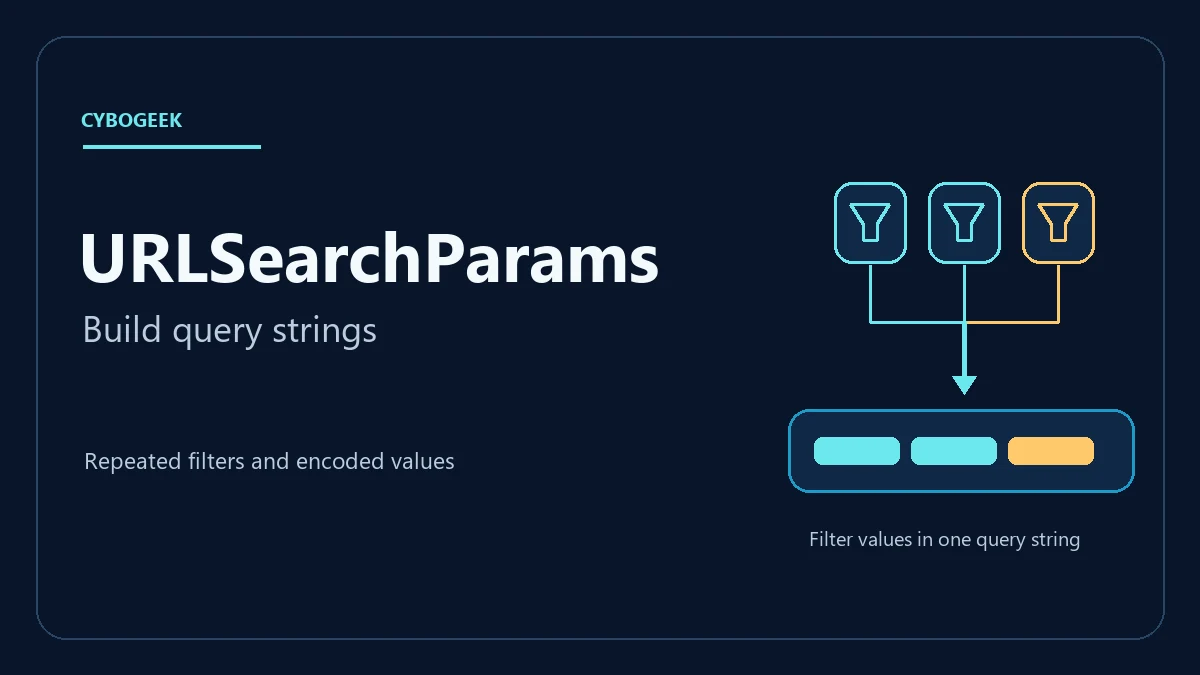
Use URLSearchParams to build a query string from ordinary JavaScript values. Set single-value fields such as a search term or page number. Append each value for a filter that can appear more than once. When you read the URL back, use get() for a single field and getAll() for repeated filters.
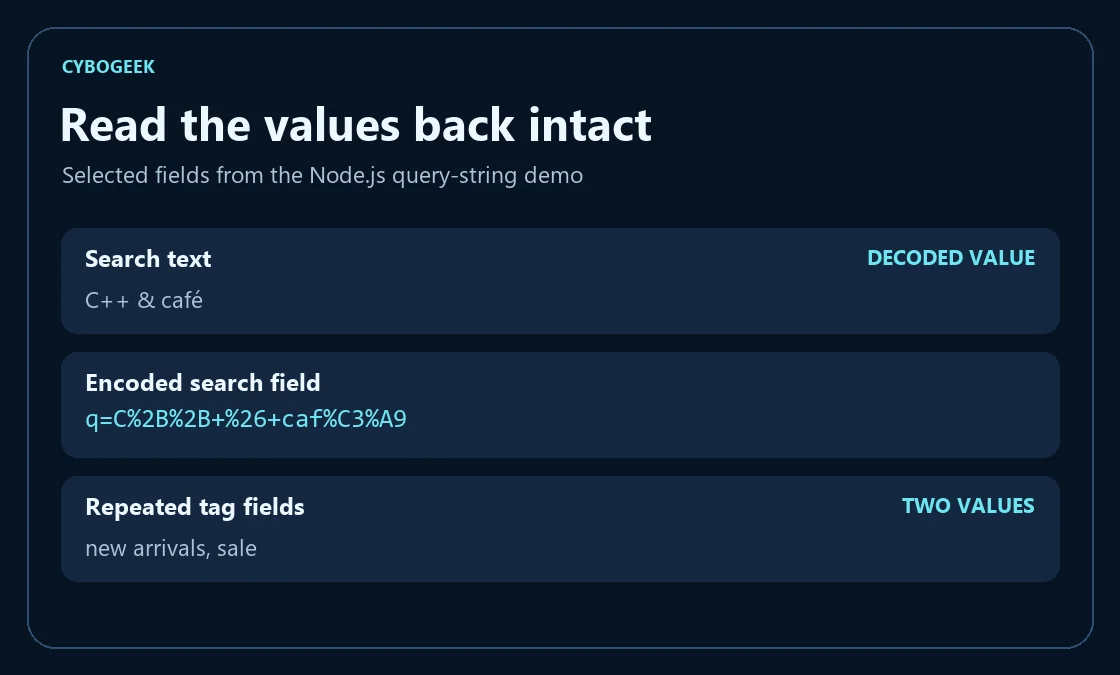
For example, the raw search term C++ & café should reach the server as one value. Concatenating it into a query can turn pluses into spaces and treat the ampersand as a separator. Pass the text to set() without encoding it first. Let the URL API encode the value when it writes the query string.
Start with the format your API expects
The demo on this page uses a catalog with three query fields. It treats q as one optional search term, tag as a repeated filter, and page as a positive integer with a default of 1. It leaves unrelated fields in the base URL alone. Pick these rules before writing code, because the URL class will serialize the values you give it but will not decide what your API should mean by them.
A backend may use repeated names, a comma-separated value, or a different field naming pattern. Those are endpoint contracts. If yours expects two tag entries, appending two is correct. If it expects a single comma-separated field, confirm how the backend handles a tag that already contains a comma. Test the real decoder instead of assuming every framework reads repeated values the same way.
Decide what the absence of a field means. In the demo, no page field means page 1. That lets an ordinary first-page link stay short. A page number of zero would mean something else if your API used zero-based numbering. Choose one convention and apply it when writing the link, reading it back, and validating the request on the server.
Build the URL without losing repeated filters
function buildCatalogURL(base, { query, tags, page }) {
  const url = new URL(base);
  const params = url.searchParams;
  const cleanedQuery = query.trim();
  if (cleanedQuery) params.set("q", cleanedQuery);
  else params.delete("q");

  params.delete("tag");
  for (const tag of tags) params.append("tag", tag);

  if (page === 1) params.delete("page");
  else if (Number.isSafeInteger(page) && page > 1) params.set("page", String(page));
  else throw new RangeError("Page must be a positive whole number");
  return url;
}
Pass a trusted absolute base URL from your app configuration. To use a relative path, resolve it first with new URL(path, window.location.origin) if it belongs at the current origin root. If the app is hosted under a subdirectory, use the base URL its configuration actually intends. An absolute path beginning with a slash resolves from the origin root even if you give the constructor a base with a subdirectory. Pass a complete set of filter values every time: a search string, an array of tag strings, and a page number. The helper replaces the fields it owns from that full snapshot and leaves the unrelated fields alone.
In the demo, set("q", value) replaces an existing search term and removes any extra entries with that name. delete("tag") removes the previous filter set before the loop adds the currently selected tags. If your interface wants to add a single tag to the current list, you can append it without that deletion. When changes come from a full form snapshot, rebuilding that one field prevents selected options from accumulating after every edit.
| Operation | Use it when |
|---|---|
| set | The field should have one value, replacing all previous entries with that name. |
| append | The field accepts another value without removing existing entries. |
| get | You want the first value, or null when the field is absent. |
| getAll | You need an array containing every value for that name. |
| delete | You are clearing the parameter or restoring the default that applies when it is absent. |
The WHATWG URL standard defines these operations. In this example, the URL object keeps the fragment and retains the unrelated campaign parameter. Updating a query can still reserialize it, so byte-for-byte preservation is a separate concern.
Read the same filter state back
function readCatalogURL(url) {
  const params = new URL(url).searchParams;
  const rawPage = params.get("page");
  const page = rawPage !== null && /^[1-9][0-9]*$/.test(rawPage)
    ? Number(rawPage)
    : 1;
  return {
    query: params.get("q") ?? "",
    tags: params.getAll("tag"),
    page: Number.isSafeInteger(page) ? page : 1,
  };
}
Query values come back as strings. The page reader checks the format before converting because this example only accepts positive decimal integers without leading zeros. It then checks that conversion still gives a safe JavaScript integer. A value such as 02 or a number too large to represent safely falls back to page 1. Those are deliberately narrow choices for the demo, so document a different policy if your API needs one.
The reader keeps all the tags in order. If someone changes the URL to repeat the same tag, the array can contain that value twice. Decide whether the backend should preserve or deduplicate it. Likewise, if you expect only one page field, decide what to do when a URL contains two. get() Returns the first value. If duplicates are invalid in your contract, inspect getAll("page") and reject them explicitly on the server. Client-side defaults do not replace server-side validation.
What happens to spaces, symbols, and Unicode?
URLSearchParams uses form-style query serialization. Spaces appear as plus signs. A literal plus that was passed as a value appears as %2B. A literal ampersand in a value is encoded so it does not start a new field. The text café is serialized with UTF-8 percent-encoded bytes where needed. MDN’s URLSearchParams guide walks through the plus-sign and encoding behavior.
You can see the difference by parsing the raw string q=C++. Under these query rules, the two plus signs turn into two spaces. If you start with the value C++, add it with set() and then serialize, the result is q=C%2B%2B. The serialized version can be parsed back into the original value. Use the string constructor for an existing query string and use the setter for an ordinary search-box value.
Do not pass an already percent-encoded value to a setter when what you mean is the decoded text. For example, setting %2B as a raw value tells the API that the percent sign is part of the value. It serializes that as %252B. This is often the first sign that the code encoded something twice.
What the local tests verified
The local demo ran in Node.js v22.23.5. The builder wrote a query containing a literal double plus, an ampersand, an accented letter, and two tags. The reader returned the original trimmed search text, both tags, and page 2. Resetting the filters left the campaign field and results fragment in the new URL.
The first assertion assumed the page field would move to the end. The run showed that set() updated the existing page entry in its position while the new tags were appended after it. I corrected the expected order and reran the demo. Most applications should compare decoded fields instead of hard-coding the string order unless the order is part of their actual contract.
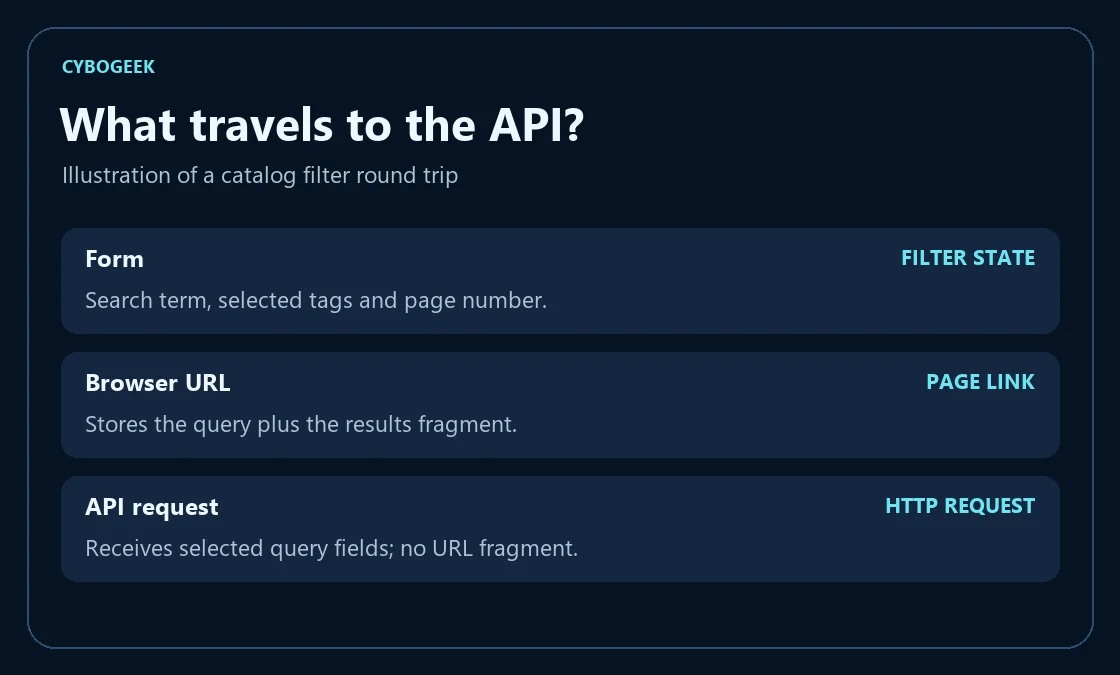
A local HTTP server then received the URL through Fetch and decoded the search term, both tags, and the page number. It did not receive the #results fragment. Fragments can help a browser navigate to a part of a document, but the server cannot read that fragment as a query field. That local test does not establish how every framework parses a repeated field, so confirm your endpoint’s actual result.
Keep the URL, form and request in sync
Read the current URL when the page opens so a pasted link restores the visible filters. Choose which state changes should become a step in the browser history. For example, a button that applies filters may push a new entry so Back returns to the previous selection. A search box that updates with each keystroke may replace the current entry to avoid creating dozens of steps. A history change needs its own UI handling. When Back changes the URL, read it again rather than relying on the old state in the form.
When you change the tags, decide whether to reset the page first. Page 8 of an unfiltered catalog may have no results for the newly filtered catalog, even when page 1 has plenty. For this example, pass page 1 when the search term or tags change. The builder removes the page field, and the reader restores its default. If a person selects a new page with the same filters, pass their new page without touching the filter list.
Use the same query policy for links and requests, but choose their base paths separately. A browser URL may be a page route with a results fragment. Your Fetch URL may point at an API route and need only the fields the endpoint accepts. If the browser link carries a campaign parameter, consider whether that belongs in the API request before copying the full query across. Building each from the same filter state lets you preserve that distinction.
Use the same checks in the application
Test a search term that contains a space, a literal plus, an ampersand, and a local language character. Check both what appears in the request URL and what your test server receives after decoding. Next, select two filters and reload through the shareable URL. Both choices should appear. Clear the filters and confirm that the URL returns to the intended default without touching parameters your feature does not own.
Do not put secrets or sensitive values into a query simply because the API can encode them. Percent encoding represents characters in a URL. It does not hide them. Also avoid modifying an opaque or signed URL unless the signing scheme permits it. Reserializing can change how spaces and other characters appear without changing the decoded meaning, which can still matter to a signature.
Finally, check the behavior when the URL changes as the person types. A correct query string only solves serialization. If the application also makes new requests on every change, keep their results attached to the search that produced them. Otherwise, a response for the previous URL can still arrive late and replace the current results.