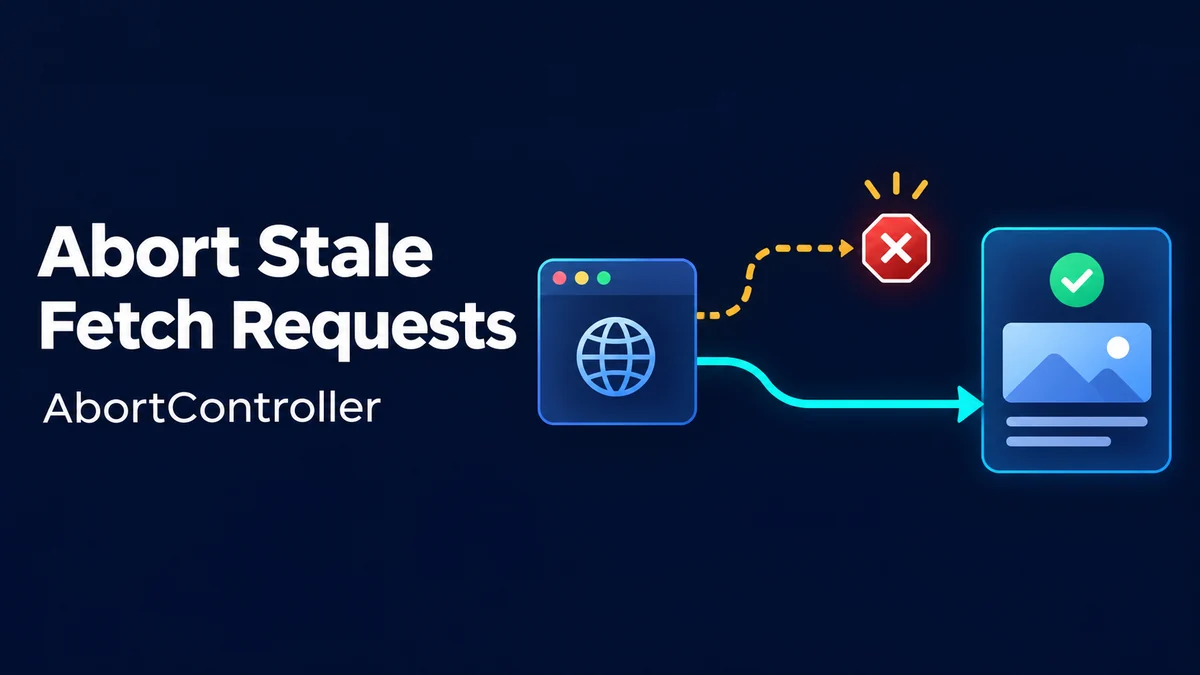
To stop stale Fetch results from overwriting a new search, abort the old request and check that the result still belongs to the current search before showing it. Use a new AbortController for each search. Give Fetch its signal. Before updating the page after anawait, check whether that controller is still the one your search box is using.
The two checks solve different problems. Aborting asks an operation that supports the signal to stop. Checking the active request protects the interface even if some downstream work keeps going. You want neither a late success nor a late error from the old query to replace what the person is doing now.
What a stale search looks like
Imagine someone types ca, then adds a t. The app makes two requests. The server can reply to the second before it finishes the first because they are independent. If both callbacks update the same list, the person can see cat results followed by unrelated results for ca. Both requests can be successful, so checking the HTTP status alone cannot find the bug.
There is a second problem if the earlier request fails. A delayed error might replace the newer results with a warning. It can also hide a loading indicator that the second request still needs. Think of the success, error, and loading states as belonging to a particular search. When that search is replaced, old callbacks no longer get to change the shared view.
A debounce helps reduce how many requests start while someone types. It cannot guarantee that two requests will never overlap. Someone can type, pause long enough to launch a request, and type again while that request is still running. Use a debounce for frequency and a current-request check for result ownership.
What AbortController can cancel
Save the controller and pass it signal to Fetch. Call abort() on that controller when the request is no longer needed. Fetch can reject while it waits for headers or while the code consumes its response body. The Fetch standard and MDN’s AbortSignal examples explain these stages.
A signal stays aborted once its controller aborts. Create a new controller for the next request. A signal can also control several operations when you deliberately want them to stop together. A separate search box should usually have its own controller so typing there does not cancel work on another part of the page.
Cancellation does not rewind work that has already happened. For a read-only search, this usually means ignoring a result that is no longer needed. For a state-changing request, a cancellation does not prove the server stopped or rolled back. Confirm what happened using that endpoint’s contract before you retry or tell a user a change was undone.
Keep controller state next to the data it owns
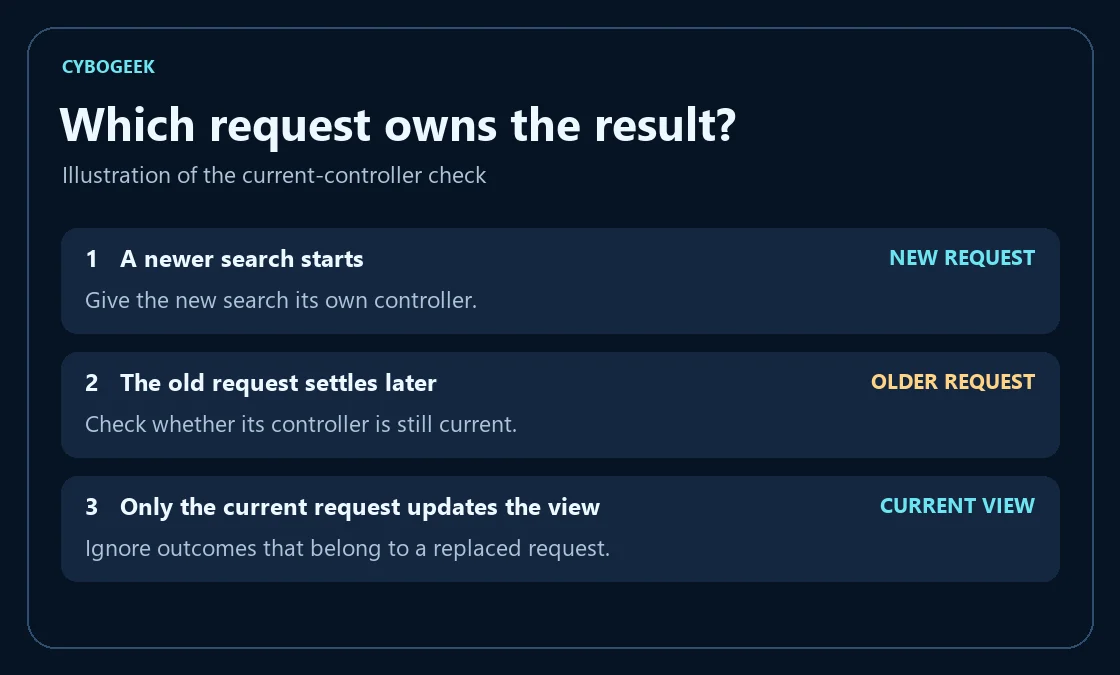
This example keeps one active controller per search box. The request adapter is responsible for fetching and returning a usable result. The renderer receives view state for the query it owns. Use that state to show a spinner, a result list, or a brief error message. The controller identity is the last check before an old result could change that state.
function createSearch({ request, render }) {
  let current;

  return async function search(query) {
    const previous = current;
    const controller = new AbortController();
    current = controller;
    previous?.abort();
    render({ state: "loading", query });

    try {
      const items = await request(query, { signal: controller.signal });
      if (current !== controller || controller.signal.aborted) return "ignored";
      render({ state: "ready", query, items });
      return "ready";
    } catch (error) {
      if (current !== controller || controller.signal.aborted) return "ignored";
      render({ state: "error", query });
      return "error";
    }
  };
}
Wire in a request adapter that accepts the provided options. Build the request using your own API path and the search term. Pass the same signal through to Fetch, checkresponse.ok, and parse the expected body. If the endpoint needs a certain array or object shape, validate it in the adapter before returning. Fetch normally resolves on an HTTP status such as 404, so the adapter should do that check explicitly.
Set the newest controller as current before aborting the previous one and exposing the new loading state. That order means any work that observes cancellation can already see which request has replaced it. The catch uses the same ownership check as the result path, so errors from an older search do not appear as errors for the new query.
Choose what to show for each outcome
| What happened | What the current interface should do |
|---|---|
| The newest search returns a usable result | Display that result and identify the query it belongs to. |
| The newest search returns a valid empty list | Show a no-results state for the current query. |
| An older request succeeds or fails after replacement | Leave the current results and loading state alone. |
| The newest request fails and is still active | Show an appropriate error or retry control. |
| The user clears or leaves the view | Invalidate the owner, abort the active request, and show the cleared state if the view remains open. |
The snippet demonstrates search replacement. If your interface also offers a clear action, extend it to set the current controller to undefined before aborting the old one, then render the cleared state. Keep that logic inside the same search instance. When a view is removed, its cleanup should invalidate the current request and avoid rendering into the old view. A different screen should start with its own state.
If you add a cleanup step after anawait, give it the same ownership check. A finally block can run when a request was replaced or aborted. If it always turns off the loading indicator, it can hide the spinner for the still-running newer request. An easier arrangement is for the current request’s ready or error state to replace its loading state as shown here.
What the local tests showed
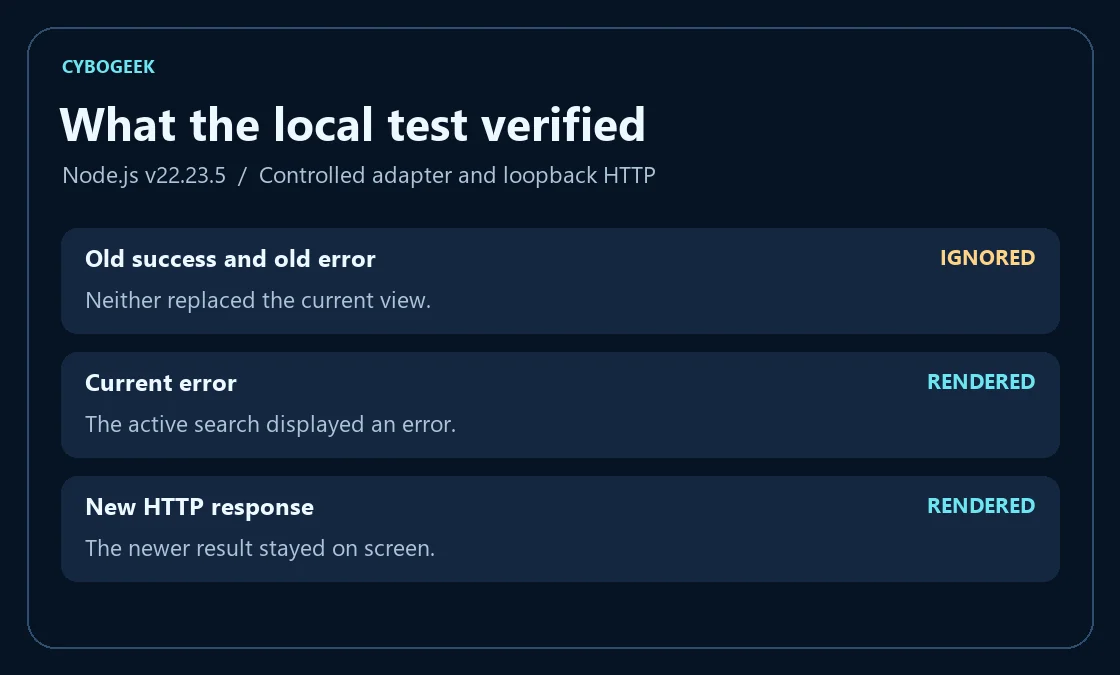
The local Node.js v22.23.5 demo ran two checks. First, a controlled adapter saved the handlers for two queries and deliberately allowed the old work to keep running after its signal had been aborted. The newer query resolved before the older one. The results stayed with the newer query. In a second controlled pair, an error from an old query was ignored while the active query’s rejection became the current error state.
The second check used a loopback HTTP server that began writing a slow JSON body and returned a separate fast response. A new search started after the server signaled that it had begun the old response. The cancelled search was ignored, and the fast result became the last rendered state. This verifies the code’s local control flow and the Fetch integration in Node. A browser, proxy, or production backend may schedule the same requests differently.
Keep renderer errors separate from request errors
The short example assumes a synchronous renderer that neither throws nor starts another search during the update. In a larger application, keep the code that waits for the request and handles its exceptions separate from the code that updates the screen. If a rendering defect throws after the request succeeded, reporting it as a server failure makes the real cause harder to trace. Give the request and the view separate diagnostic categories.
Keep the ownership check close to the actual view update, even when a rendering framework batches later work. For example, if a state update is queued for a search tab, store the query or request ID with the pending data. Use that value when choosing what to display. The guard protects one point in time and cannot pick the correct result for code that deliberately schedules a separate update later.
What to test in your own interface
Use a development or test environment where you can control response order. Start one query, then start the next before the first completes. Give the query results distinct labels so you can tell them apart at a glance. Check that returning the first response after the second leaves the second result in place. Then make the old request fail and ensure its error does not replace the new data.
Try the same sequence while the new request is still loading. A rejected old request should not remove that loading state. Finally, check a failure on the current request. If you handle every failure as though it were a deliberate cancellation, the person gets no feedback when the latest query actually cannot load. Test a no-results case separately from a request failure so the two messages stay accurate.
When the behavior still looks wrong, compare the query displayed in the input, the query attached to each request and the query passed to the renderer. Confirm the request helper received the signal rather than dropping that option on the way to Fetch. Check for a second asynchronous step after parsing, such as data filtering in an adapter. Place the ownership check after the last step and before the view update.
Does this replace timeout or retry handling?
A new search superseding an old one is a user action. A timeout on the newest search is a failure the interface may need to display. If you add a timeout or allow another part of the app to abort the request, keep those causes distinct from this example’s deliberate replacement. Avoid suppressing a genuine failure simply because an error happens to have a familiar name. Check the request’s ownership and the reason your app decided to cancel it.
If you need to show data from multiple independent requests for the same search, first establish which search owns them. Then decide how each result contributes to the screen. A batch method that returns one outcome per request can help with partial errors. The ownership check still applies to the batch, so results from a previous query never appear under the next one.